 Best match
Related: setTimeoutIntermediate
Random Password Generator
Control delayed interface updates with browser timers.
Build a random password generator →Build a dice roll simulator with HTML, CSS, and JavaScript while practicing setTimeout and click events.
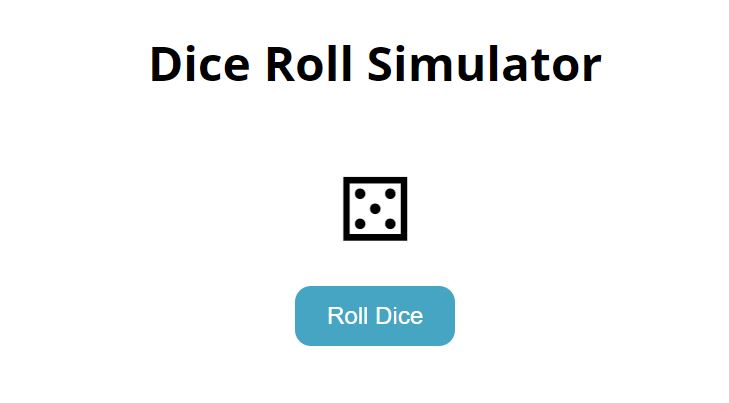
This project shows you how HTML, CSS, and JavaScript work together in a dice roll simulator. You’ll connect user interactions to visible changes on the page, then practice setTimeout, click events, and DOM selection as you build the complete project from scratch.
Recommended knowledge: Basic HTML and CSS, JavaScript functions and callbacks, Browser timers, Functions and Math.random.
This project uses timed JavaScript updates.
index.html<!DOCTYPE html>
<html lang="en">
<head>
<meta charset="UTF-8" />
<meta http-equiv="X-UA-Compatible" content="IE=edge" />
<meta name="viewport" content="width=device-width, initial-scale=1.0" />
<title>Dice Roll Simulator</title>
<link rel="stylesheet" href="style.css" />
</head>
<body>
<h1>Dice Roll Simulator</h1>
<div class="dice" id="dice">⚄</div>
<button id="roll-button">Roll Dice</button>
<ul id="roll-history">
<!-- <li>Roll 1: <span>⚀</span></li>
<li>Roll 2: <span>⚄</span></li> -->
</ul>
<script src="index.js"></script>
</body>
</html>
Practice setTimeout, creating DOM Elements, and random values with these related projects.
Best matchControl delayed interface updates with browser timers.
Build a random password generator →
Create and insert new interface elements dynamically.
Build an electronic drum kits →
Generate changing values and display a new result each time.
Build a heart trail animation →Control delayed interface updates with browser timers.
Build a random password generatorCreate and insert new interface elements dynamically.
Build an electronic drum kitsGenerate changing values and display a new result each time.