100JSProjects
LearnProjectsExplore all projects
100JS_WORKSPACE/Build · Learn · Repeat
100JSProjects

Practical HTML, CSS, and JavaScript projects designed to help you turn concepts into real skills—one build at a time.

01Explore

./All projects./Learning guides./About./Contact./Privacy

02Resources

./GitHub repository./Support the project

© 2026 100 JS Projects. Built for developers.

TermsCookiesContact
JS//Projects/Analogue Clock

Analogue ClockHTML, CSS & JavaScript Project

HTML5CSS3JavaScript
View Source CodeLive Demo
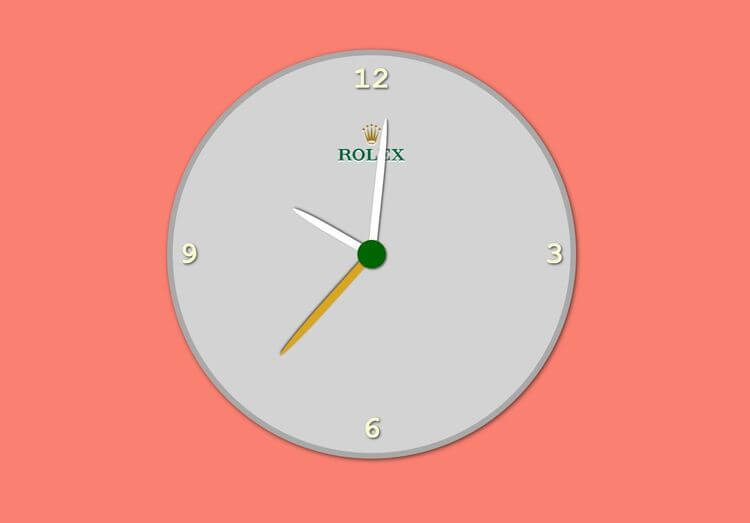
Analogue Clock project previewTry Live Demo
What you'll build

Analogue Clock

Our analog clock project will create a clock with the Rolex logo that displays the current time based on the user's browser. Using JavaScript, we will convert the current time into degrees to reflect the current time on the clock face. The Rolex logo will be in the center of the circular clock face, with hour, minute, and second hands reflecting the current time. We will update the clock hands' positions dynamically using JavaScript, creating a real-time effect. CSS will style the clock face, hands, and logo for a sleek and professional appearance. This project will enhance our JavaScript skills by manipulating the DOM and working with the Date object and CSS skills for styling elements.

HTML
— Structure
CSS
— Design
JavaScript
— Logic
Complete project files

Build It from the Source Code

Create these three files, copy the code into each one, then open index.html with Live Server.

Project structure
clock/
├── index.html
├── style.css
└── index.js
1
2
3
4
5
6
7
8
9
10
11
12
13
14
15
16
17
18
19
20
21
22
23
24
25
26
27
28
29
30
31
<!DOCTYPE html>
<html lang="en">
  <head>
    <meta charset="UTF-8" />
    <meta http-equiv="X-UA-Compatible" content="IE=edge" />
    <meta name="viewport" content="width=device-width, initial-scale=1.0" />
    <link rel="stylesheet" href="style.css" />
    <title>Clock</title>
  </head>
  <body>
    <div class="clock">
      <div class="numbers">
        <div class="twelve">12</div>
        <div class="three">3</div>
        <div class="six">6</div>
        <div class="nine">9</div>
      </div>
      <div class="arrows">
        <div class="hour"></div>
        <div class="minute"></div>
        <div class="second"></div>
      </div>
      <img
        src="https://upload.wikimedia.org/wikipedia/en/thumb/9/95/Rolex_logo.svg/1200px-Rolex_logo.svg.png"
        alt=""
      />
    </div>
    <script src="index.js"></script>
  </body>
</html>

JS// Related Projects

Keep Building with Similar Projects

Continue your learning journey with these handpicked projects that share similar concepts and technologies

Tip Calculator project preview
HTMLCSSJavaScript

Tip Calculator

In this project, our aim is to build a modern tip calculator. The project's primary interface comprises a container labeled "Tip Calculator" with two input fields: one for the bill amount and the other for the tip percentage. The tip calculator has a modern design that is styled using CSS. We utilized JavaScript to obtain the values of the two input fields and calculate the total amount based on these values.

View project
Age Calculator project preview
HTMLCSSJavaScript

Age Calculator

In this project, we are going to create an age calculator. As you can see from the final version of the project, we have a container here with the title age calculator with an input of a date. If we click on the date input, we can choose the date of our birthday. For example, if we choose a date in in 2022 and if we click now on Calculate Age, you can see the age is calculated based on this date and saying your age is 21 years old.

View project
Weight Converter project preview
HTMLCSSJavaScript

Weight Converter

Let's create a weight converter project that converts pounds to kilograms. The webpage features an input field where users can enter a weight in pounds, and the webpage automatically displays the equivalent weight in kilograms. After 10 seconds, the result is removed, and the input field is emptied using the 'set time out' method. We've also incorporated an error handling feature to handle negative input numbers. If the user enters a negative number, the webpage displays an error message, "Please enter a valid number." We'll learn how to handle error situations and remove the error message after two seconds using an event listener for the input field. The event listener will call a function that performs the desired actions.

View project
{ }View All Projects