
100JSProjects
LearnProjectsExplore all projects
100JS_WORKSPACE/Build · Learn · Repeat
100JSProjects

Practical HTML, CSS, and JavaScript projects designed to help you turn concepts into real skills—one build at a time.

01Explore

./All projects./Learning guides./About./Contact./Privacy

02Resources

./GitHub repository./Support the project

© 2026 100 JS Projects. Built for developers.

TermsCookiesContact
JS//Projects/Loading Bar

Loading BarHTML, CSS & JavaScript Project

HTML5CSS3JavaScript
View Source CodeLive Demo
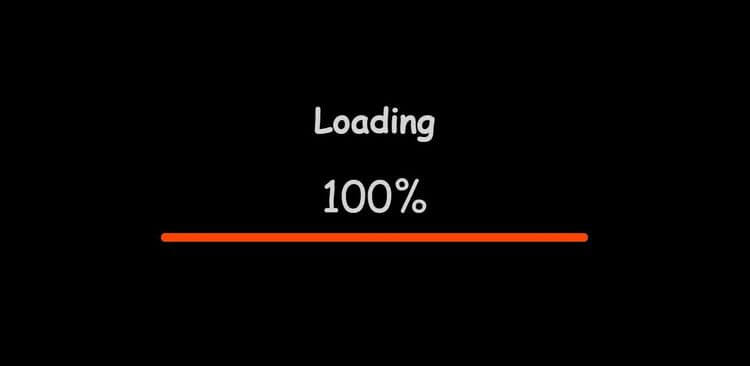
Loading Bar project previewTry Live Demo
What you'll build

Loading Bar

In this project, we'll create a loading bar. Upon opening, you'll see a header, loading percentage, and bar. Refresh the page to watch the percentage increase from 0 to 100, filling the bar. Use it as a free loader or in your own projects. Learn to change the numbers and bar width with JavaScript.

HTML
— Structure
CSS
— Design
JavaScript
— Logic
Complete project files

Build It from the Source Code

Create these three files, copy the code into each one, then open index.html with Live Server.

Project structure
loading-bar/
├── index.html
├── style.css
└── index.js
1
2
3
4
5
6
7
8
9
10
11
12
13
14
15
16
17
18
19
20
<!DOCTYPE html>
<html lang="en">
  <head>
    <meta charset="UTF-8" />
    <meta http-equiv="X-UA-Compatible" content="IE=edge" />
    <meta name="viewport" content="width=device-width, initial-scale=1.0" />
    <title>Loading Bar</title>
    <link rel="stylesheet" href="style.css" />
  </head>
  <body>
    <div class="container">
      <h1>Loading</h1>
      <div class="counter">0%</div>
      <hr class="loading-bar-back" />
      <hr class="loading-bar-front" />
    </div>
    <script src="index.js"></script>
  </body>
</html>

JS// Related Projects

Keep Building with Similar Projects

Continue your learning journey with these handpicked projects that share similar concepts and technologies

Rock Paper Scissors Game project preview
HTMLCSSJavaScript

Rock Paper Scissors Game

In this project, we create a rock, paper, and scissors game. The computer will also choose a random option, and the results will be displayed. You can win, lose, or tie. Scores are tracked at the bottom. We'll use HTML for structure, CSS for a modern look, and JavaScript to generate the computer's choice and compare the results. This game is an interactive way to test your luck and strategy against a computer opponent.

View project
Recipe Book App project preview
HTMLCSSJavaScript

Recipe Book App

In this project, we're developing a recipe book application that features a variety of recipes obtained through a free recipe API. We need an API key to access this API. Each time the page is refreshed, a new set of recipes with distinct ingredients will be displayed. Additionally, a link is provided to access the recipe website.

View project
Simple Stopwatch project preview
HTMLCSSJavaScript

Simple Stopwatch

Welcome to the Stopwatch Project! We will create a timer displayed at the top, along with three buttons - start, stop, and reset. Clicking the START button will begin the timer. The STOP button will pause the timer using a JavaScript method called SetInterval, which can be cleared using clearInterval. The RESET button will reset the timer to zero. If you click STOP and then START again, the timer will continue from the previously elapsed time. We'll start by installing CSS for the buttons' design and hover effects, then use JavaScript to get the browser time, manipulate the content, replace it with the calculated time, and provide the start, stop, and reset functionality.

View project
{ }View All Projects