
%202.webp?alt=media&token=7ffdb0b5-c934-43e2-a7a1-029e283cce6f)
Testimonial Slider
In this project, you will learn how to build a testimonial slider using HTML, CSS and JavaScript. We use a timer to change the sliders automatically and also we have added a bountiful animation showing the slides.
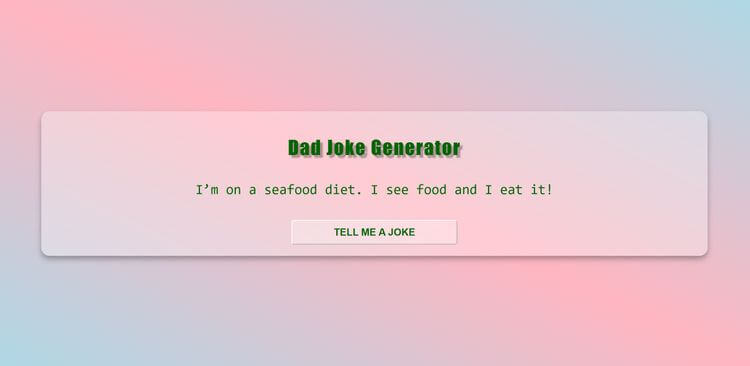
View projectI this project, we're creating a dad joke generator that features a new morphism design made with CSS. Clicking on the button generates a random dad joke, and another click generates a new one. While loading, a loading effect is displayed in the text and button. JavaScript will handle the loading effect and potential errors, and CSS will create a visually appealing design for the generator.
Create these three files, copy the code into each one, then open index.html with Live Server.
dad-jokes-generator/ ├── index.html ├── style.css └── index.js
<!DOCTYPE html>
<html lang="en">
<head>
<meta charset="UTF-8">
<meta http-equiv="X-UA-Compatible" content="IE=edge">
<meta name="viewport" content="width=device-width, initial-scale=1.0">
<title>Dad Jokes Generator</title>
<link rel="stylesheet" href="style.css">
</head>
<body>
<div class="container">
<h1 class="heading">Dad Joke Generator</h1>
<p class="joke" id="joke">Dad Joke</p>
<button class="btn" id="btn">Tell me a joke</button>
</div>
<script src="index.js"></script>
</body>
</html>
Continue your learning journey with these handpicked projects that share similar concepts and technologies
%202.webp?alt=media&token=7ffdb0b5-c934-43e2-a7a1-029e283cce6f)
In this project, you will learn how to build a testimonial slider using HTML, CSS and JavaScript. We use a timer to change the sliders automatically and also we have added a bountiful animation showing the slides.
View project
This project aims to create a temperature converter for beginners. The final version of the project includes three inputs for Celsius, Fahrenheit, and Kelvin temperature formats. When you change any of these inputs, for example, if you choose 100 degrees Celsius, you will see the equivalent Celsius value in Fahrenheit and Kelvin formats. Additionally, if you change one input, you will see a real-time change inside the other inputs. For instance, changing the Fahrenheit input to 100 degrees will show you that it is equal to 37 degrees Celsius and 311 Kelvin. To create this project, we will learn how to use an "onchange" event listener to track changes inside the inputs. We will also use the switch statement to track changes based on the name of the input we are working on. Additionally, we will use CSS to give the project a modern look, inspired by newMorphISM design. In summary, this project will help us learn how to create a temperature converter using JavaScript and CSS, and we will learn how to track changes using event listeners and switch statements.
View project
The objective of this project is to design a Pomodoro timer that features a countdown clock and three functional buttons, namely start, stop, and reset. Upon clicking the start button, the timer will commence counting down from 25 minutes. Should one desire to halt the countdown, the stop button can be pressed. The countdown can be resumed by hitting the start button, and by clicking on the reset button, the timer will reset to 25 mins again. An alert will notify the user when the timer reaches zero. This Pomodoro timer is an ideal tool for individuals seeking to focus on a task for a set amount of time, followed by a break. By implementing this technique, productivity and time management skills can be improved. To create this timer, one must initially grasp the principles of CSS for styling purposes. Next, event listeners will be added to the buttons using JavaScript. Finally, a timer will be established using the SetInterval function in JavaScript.
View project