 Best match
Related: setTimeoutBeginner
Image Slider
Control delayed interface updates with browser timers.
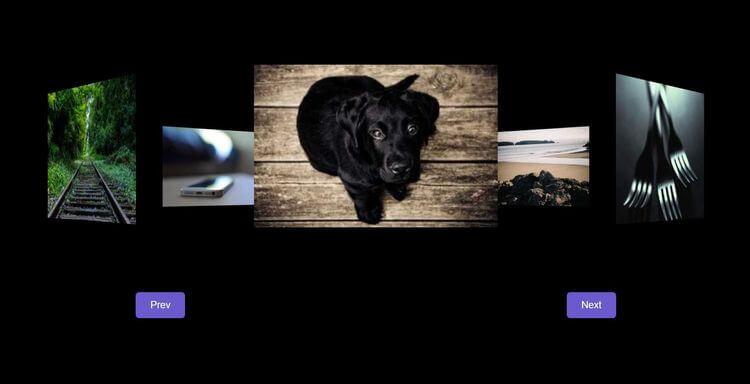
Build an image slider →Build a rotating image gallery with HTML, CSS, and JavaScript while practicing setTimeout and click events.
In this project, we’re going to build a rotating image gallery using HTML, CSS, and JavaScript. You’ll see how to organize images and create smooth, interactive navigation. Along the way, you’ll practice setTimeout, click events, and DOM selection, so you can understand how the interface and JavaScript logic work together.
Recommended knowledge: Basic HTML and CSS, JavaScript functions and callbacks, Browser timers, JavaScript variables and number operations.
This project uses timed JavaScript updates.
index.html<!DOCTYPE html>
<html lang="en">
<head>
<meta charset="UTF-8" />
<meta http-equiv="X-UA-Compatible" content="IE=edge" />
<meta name="viewport" content="width=device-width, initial-scale=1.0" />
<title>Rotating Image Gallery</title>
<link rel="stylesheet" href="style.css" />
</head>
<body>
<div class="image-container">
<span style="--i: 1">
<img src="https://picsum.photos/id/237/300/200" />
</span>
<span style="--i: 2">
<img src="https://picsum.photos/id/23/300/200" />
</span>
<span style="--i: 3">
<img src="https://picsum.photos/id/48/300/200" />
</span>
<span style="--i: 4">
<img src="https://picsum.photos/id/12/300/200" />
</span>
<span style="--i: 5">
<img src="https://picsum.photos/id/59/300/200" />
</span>
<span style="--i: 6">
<img src="https://picsum.photos/id/160/300/200" />
</span>
<span style="--i: 7">
<img src="https://picsum.photos/id/370/300/200" />
</span>
<span style="--i: 8">
<img src="https://picsum.photos/id/478/300/200" />
</span>
</div>
<div class="btn-container">
<button class="btn" id="prev">Prev</button>
<button class="btn" id="next">Next</button>
</div>
<script src="index.js"></script>
</body>
</html>
Practice setTimeout, javaScript calculations, and DOM Selection with these related projects.
Best matchControl delayed interface updates with browser timers.
Build an image slider →
Build a timed text animation that updates one character at a time.
Build the text effect →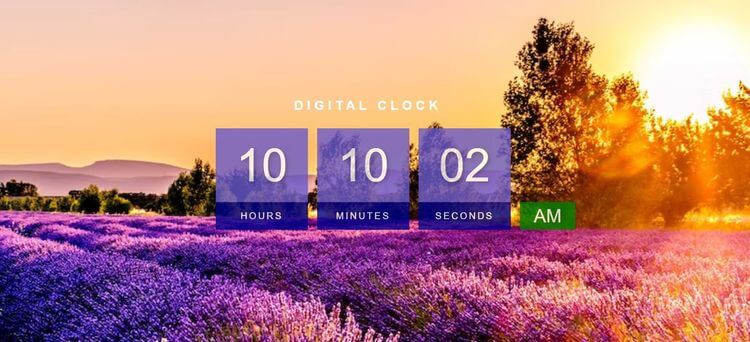
Calculate the current time and keep the display updated.
Build a digital clock →Control delayed interface updates with browser timers.
Build an image sliderBuild a timed text animation that updates one character at a time.
Build the text effectCalculate the current time and keep the display updated.
Build a digital clock